
See where your money is heading before it gets there.
Budget Calendar turns recurring income, bills and everyday expenses into a clear daily forecast, so upcoming shortfalls are visible early rather than after the fact.
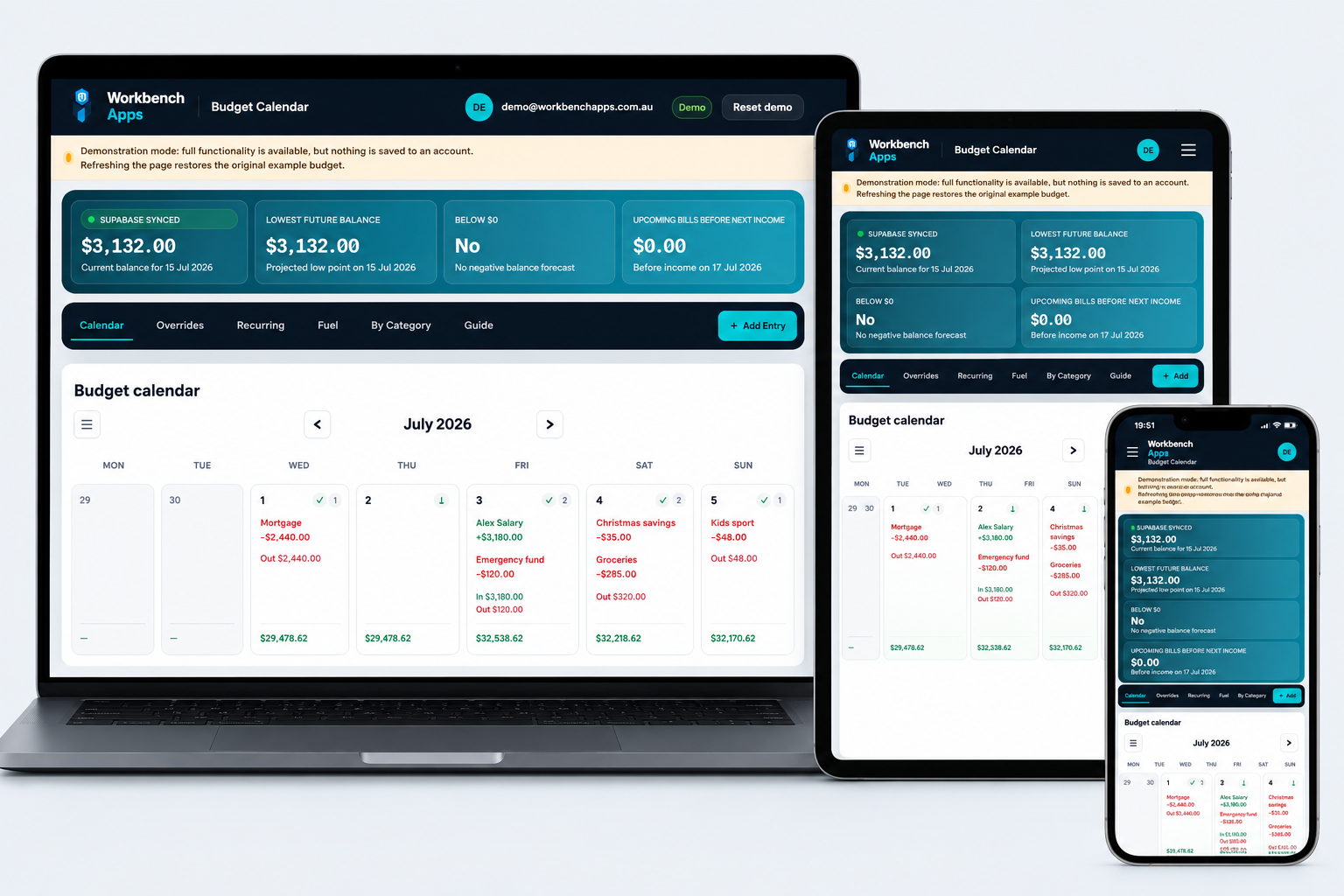
A practical forecast, not another spending diary.
Budget Calendar combines day-by-day cash-flow planning with recurring entries, reconciliation and vehicle fuel tracking.
Daily balance forecast
See income, expenses and the projected closing balance for each day on a calendar.
Recurring income and bills
Model weekly, fortnightly and monthly payments without entering every occurrence manually.
Move one occurrence
Shift a single payment date without changing the underlying recurring schedule.
Reconciliation
Check entries against your bank activity and mark progress through a chosen date.
Balance overrides
Anchor the forecast to a known real balance while leaving historical entries intact.
Fuel tracking
Track vehicles, fill-ups, odometer readings, litres, price per litre and estimated L/100 km.
Categories and snapshots
Group entries by category and review recurring commitments in a compact summary.
Backup and restore
Download a JSON backup and safely replace account data from a previous backup.
Multi-device sync
Your signed-in budget is stored in Supabase and available across supported devices.
Understand the app in minutes.
The live demo uses realistic but fictional household data and never writes changes to a database.
Explore the example budget
Open the demo and inspect the calendar, summary figures, recurring entries and fuel history.
Change anything
Add an entry, move a payment, create a category or adjust a balance override. Every feature remains interactive.
Refresh to reset
Demo changes stay only in the browser memory. Refreshing restores the original example dataset.
Demo and full account comparison
The demo shows the working product. A full account adds private saving, syncing and subscription management.
| Capability | Live demo | Full account |
|---|---|---|
| Add, edit, delete and move entries | Yes | Yes |
| Calendar, recurring, categories and fuel features | Yes | Yes |
| Download backup | Yes | Yes |
| Save changes after refresh | No — resets | Yes |
| Private Supabase account storage | No connection | Yes |
| Sync between devices | No | Yes |
Designed for budget planning
Use useful descriptions, amounts, categories, due dates and general notes. Budget Calendar does not require bank login details or direct access to a bank account.
Do not enter sensitive information
Budget Calendar is not a password vault or secure identity-record store.
- Do not store passwords, PINs or one-time codes.
- Do not store full account or card numbers.
- Do not store banking usernames or security answers.
- Do not store TFNs, passport numbers or licence numbers.
Try it with fictional data first.
Use every major feature without creating an account or exposing your own income and expenses.